
Single post
Vizou Events Manager – Settings
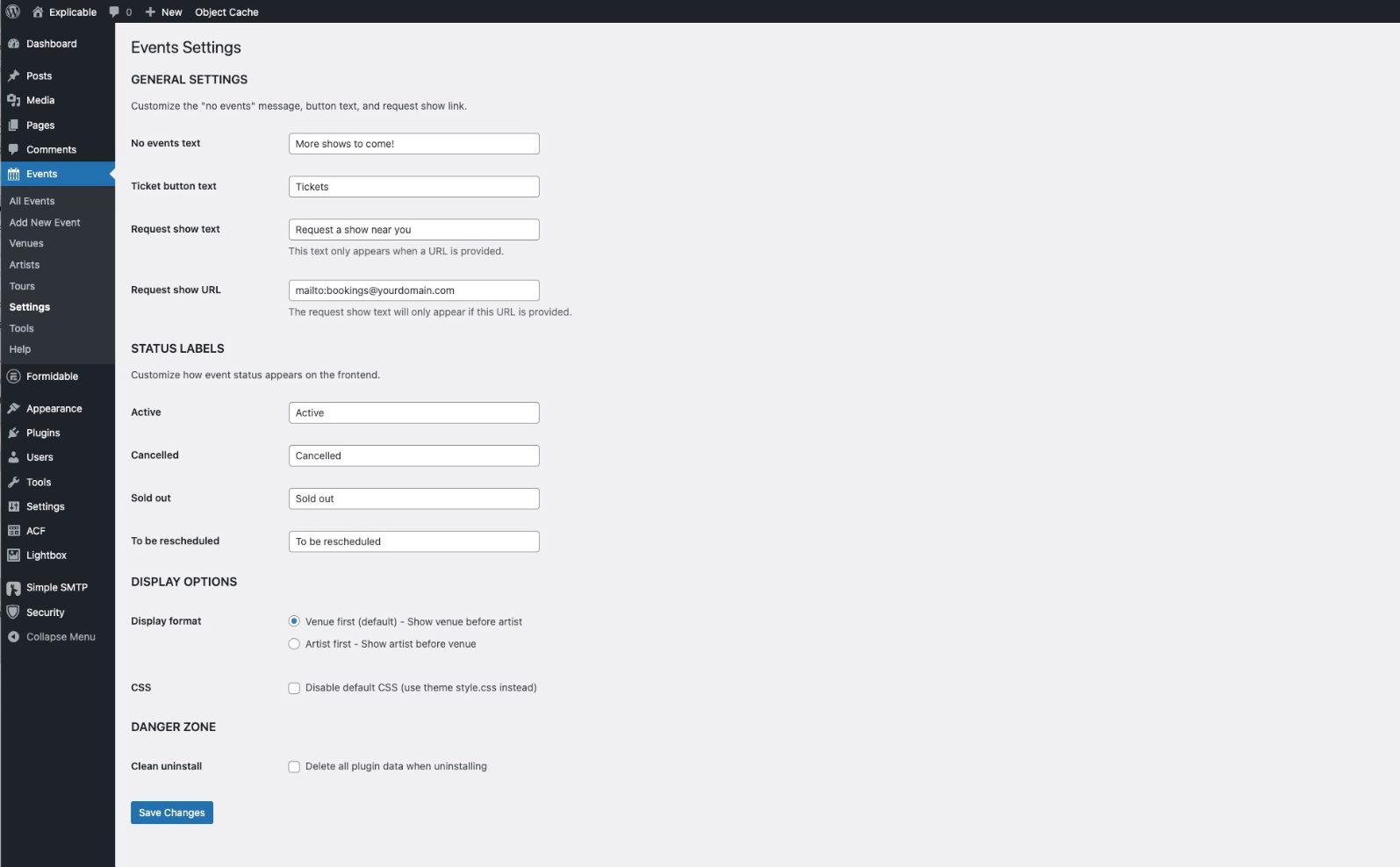
General settings
No events text – Customize the text that appears if there are no upcoming events.
Request a show text and link – customize this and use a shortcode to display it anywhere (see the Use tab)
Status labels
Active, Cancelled, Sold out, To be rescheduled – Customize the default statuses with your own names. They will be synced to the Events editor, too.
Display options
Display format – Choose whether the default layout displays the Venue or Artist first. This is ignored if you add your own template to your theme.
CSS – Override the default stylesheet if you’d rather add your styles to your theme style.css.
Danger zone
Clean uninstall – Check the box to get rid of all Events data when deleting the plugin. You might want to export a backup CSV before doing this, in case you change your mind.